How Builder.io launched /webmcp on X

Build software with your team and agents Maya • Designer Semibold

What Builder.io launched

Builder.ioSep 11, 2026

Introducing /webmcp - make your agent workflows visual https://t.co/u5uplE3Jwg
61217216K180

Transcript

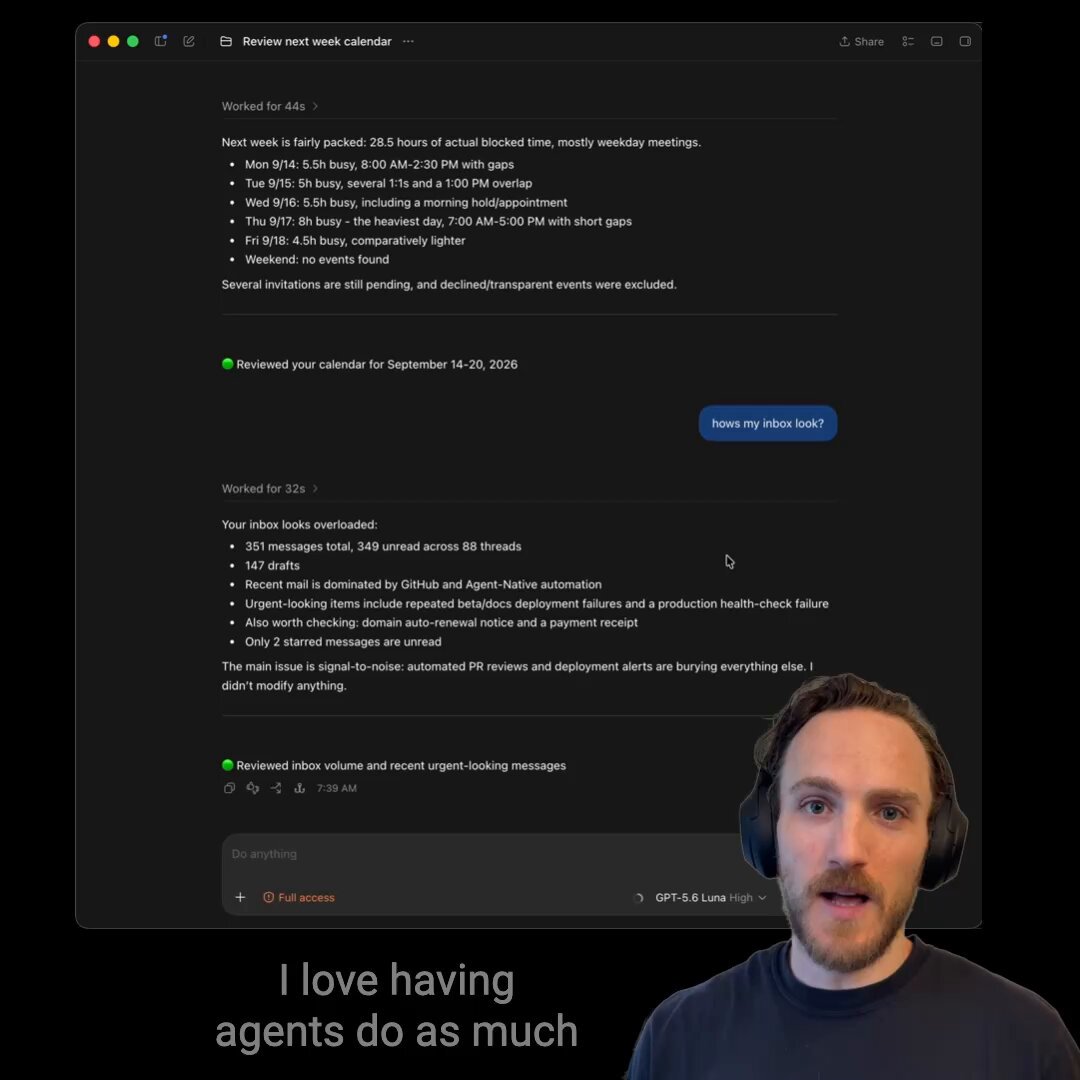
  1. 0:00I love having agents do as much work for me as they possibly can, but outside of coding,
  2. 0:04walls of text is not my preferred way of working with an agent.
  3. 0:06So let me show you a skill to take you from this to this.
  4. 0:10If I want my agent to manage my inbox, I would like to be able to see my inbox, where I can
  5. 0:14use the UI when it's easier, like for search, I can use keyboard shortcuts, I can tell it
  6. 0:18to reply, archive, or whatever to one or many emails at a time, and I don't have to worry
  7. 0:23about the agent just sending stuff without me knowing, it will show up as a draft in
  8. 0:26the UI, I can look it over and edit, because directly typing can be a lot faster than asking
  9. 0:31the AI to make those edits.
  10. 0:32When I'm ready, click or use the keyboard shortcut to send, and like a real email client,
  11. 0:36if oops, I screw it up, I can also undo.
  12. 0:38This is all using the slash web MCP skill, and there's a number of visual applications
  13. 0:42you can use side by side with your agents, like chat.jpg, etc.
  14. 0:46I can run web MCP calendar to launch in my calendar, drive it with keyboard shortcuts,
  15. 0:51edit it visually, or say something like, I need focus time, next week, put a hold on
  16. 0:55my calendar, every day, from 3 to 5 p.m.
  17. 0:58I can have draft events that I can visualize and approve, move events, etc., and I can
  18. 1:02see what it's doing visually in real time.
  19. 1:04It's using web MCP for all of this, so it's interacting with the site over tools, without
  20. 1:08me having to install anything.
  21. 1:10As long as I have the skill, I can launch any web MCP compatible application, and it just works.
  22. 1:14It popped in the new holds every single day, exactly as I wanted, I can edit them visually
  23. 1:18if I want to make subtle adjustments, and chat away for more.
  24. 1:21If I change my mind, I can say, actually, remove all those.
  25. 1:24And again, because this is my agent, Mike Claude, or chatjpg, or whatever, it's got
  26. 1:27all my rules, it's got all my tools, it's got all my integrations, and it even knows
  27. 1:30which tools should take confirmation, like deleting events, always, it asks me to confirm.
  28. 1:34There we go.
  29. 1:35Events removed.
  30. 1:36I can use web MCP slides to view, create, and manage slide decks.
  31. 1:39When I open one up, I get AI editing, as well as visual editing.
  32. 1:42So I get full control.
  33. 1:43If I want to move things around, I can just drag to move it.
  34. 1:45If I want to change the whole slide, I can just say so.
  35. 1:47I can change the styling of the entire deck all at once.
  36. 1:50The agent also knows what slide I have open, what I have selected.
  37. 1:53It's fully in sync all the time.
  38. 1:54And there, I've got my dark mode styling, and I can see which slides the AI is editing,
  39. 1:58like a collaborator, when it's editing.
  40. 2:00I can tell it to add more slides, and again, it knows everything about me, it has my connections,
  41. 2:04it has my instructions.
  42. 2:06But I don't have to build in the dark, and then just get a PDF export.
  43. 2:09I could be editing in real time, side by side with the AI.
  44. 2:11Like maybe I prefer this text to be a different color.
  45. 2:14I can grab colors directly from what else is used on the deck.
  46. 2:16I can do visual edits when that's easier, I can do AI edits when I prefer that.
  47. 2:19And now you can see in parallel, it added the next slide, matching the same styling, branding, et cetera.
  48. 2:24We see the AI editing, we can modify anything visually, edit, drag and drop, everything you're used to.
  49. 2:29The skill also supports putting in any URL that's WebMC compatible.
  50. 2:32I can say, open design.agentnative.com.
  51. 2:34If I'm lazy, I can just tell it what design I want it to find and open for me, or of course generate designs.
  52. 2:39And if you're curious about just saying slides, or mail, or calendar, or other shorthands
  53. 2:42work, those are just shorthand for other agent-native apps that are WebMC compatible that you can load easily.
  54. 2:48Here's my design I generated yesterday with this.
  55. 2:50I can edit just like using tools like Figma and do further refinements with the chat too.
  56. 2:54You can grab the skill over on my GitHub, just run the command to install or just link
  57. 2:57this to an agent and tell them to install the WebMCP skill.
  58. 3:00And if you want to know how I built all these agent-native applications, it was all using
  59. 3:03the agent-native framework.
  60. 3:04It's a framework for building these types of applications where everything you can do
  61. 3:07in the UI, automatically any agent can drive any part of the UI as well.
  62. 3:10It's fully automatic using this action system, and it's easy to prompt to build your own
  63. 3:14apps so you could have agentic apps working side-by-side with your agents to automate
  64. 3:18more of your work with side-by-side chat and visuals inside the agents you already
  65. 3:22use, like Quad, Chachapiti, et cetera.
  66. 3:23There's also a bunch of apps that I have built with my team, some of which you saw, and a
  67. 3:27bunch of others that are 100% free, 100% open source, so you can fork, customize, self-host,
  68. 3:32whatever you want, or just launch right into them using the WebMCP skill or opening them directly.
  69. 3:36You can check all that out on agentnative.com.
  70. 3:37If you try it out, I'd love to know your feedback, and especially hear about your workflows,
  71. 3:41what works for you evolving from pure chat to a chat-visual hybrid so you can do more
  72. 3:45work, faster and more effortlessly.

How LaunchVideo.com rated the launch

LaunchVideo.com rating

2.60
Hook
Editing / Creativity
Copy
Sentiment of launch
Distribution strategy

How the launch performed

16K
views on X
#1555
of 1772 launches we track
0.1x
the 194K median launch

What this launch shows

Views for the Builder.io launch compared with median views in the directory
Views compared with directory medians
GroupViews
Builder.io, this launch15,536
AI coding tools launches, median across 76 launches178,014.5
Every launch, median across 1772 launches193,983.5

Builder.io reached 16K views, 0.1 times the directory median of 194K, ranking 1555 of 1772 launches we track. Among AI coding tools launches it ranks 71 of 76, 0.1 times that group's median.

Replies ran at 3.9 per 10,000 views, below the 3.9 median. Bookmarks came in at 115.9 per 10,000 views against a median of 15.3. One bookmark for every 1.0 likes is a high ratio and usually means people intend to come back and try the product.

It went out on a Friday.

About the launch

Builder.io is releasing /webmcp, a slash-command skill for coding agents like Claude Code, Codex, and Cursor that lets an agent open a live web app in the host's built-in browser and drive it through the page's own MCP or WebMCP tools instead of screen-scraping or DOM clicking. A user types something like /webmcp slides.agent-native.com make me a new deck about onboarding, and the agent opens the page and completes the request through the page's own tools . It ships as part of BuilderIO/skills, a set of small composable skills that also includes /visual-plan for turning text plans into interactive visual plans and /visual-recap for turning branch and PR diffs into annotated visual recaps . The launch matters now because WebMCP is moving from proposal to something real developers can build against. Chrome describes WebMCP as a way for websites to expose structured tools so AI agents can perform actions with more speed, reliability, and precision, with the tools defined as JavaScript functions with natural-language descriptions and structured schemas exposed from the page itself . Builder's skill is a practical way to test that model inside the agent workflows people already use, replacing brittle clicking and guesswork with typed calls the page advertises to the agent. The company behind it is Builder.io, led by CEO Steve Sewell, who posted the launch. It sits inside their broader push around Fusion 1.0, an AI agent for product, design, and code that lets PMs, designers, and engineers work in one environment where code is the common language . For teams already routing work through coding agents, /webmcp is a way to make in-browser steps observable and repeatable rather than another opaque automation layer.

Tags

AI & MLAI coding tools<500KAI agentB2D (developers)ExplainerSeries AGlobalOpen source releaseFeature launchUSFounder-led

Ask AI about Builder.io

Questions

Frequently asked questions

The Builder.io launch post reached 16K views on X, with 172 likes, 12 reposts, 6 comments, 180 bookmarks.

Builder.io launched on X on September 11, 2026 with the message "Build software with your team and agents Maya • Designer Semibold".

Builder.io is releasing /webmcp, a slash-command skill for coding agents like Claude Code, Codex, and Cursor that lets an agent open a live web app in the host's built-in browser and drive it through.

LaunchVideo.com rated the Builder.io launch 2.60 out of 5: hook 2/5, editing / creativity 3/5, copy 4/5, sentiment of launch 2/5, distribution strategy 2/5.