How Unlayered 3D introduced Unlayered3D on X

The best 3D printing suite in the world

What Unlayered 3D launched

Unlayered 3DOct 14, 2026

Introducing Unlayered3D the best 3D printing suite in the world > 5 axis printing > instant non planar slicing > stronger production rated parts > smoother surface finishes > works on any printer https://t.co/ufRgbzNfW6
591339.3K45

Transcript

  1. 0:00The biggest problem in 3D printing today is literally everything.
  2. 0:04The software sucks, the slicers are limited, and the parts never meet our standards.
  3. 0:08And we've been using the same technology since 1988.
  4. 0:11We have had small iterative improvements, but really the method used on that machine is still used to this day.
  5. 0:17But this is something truly different.
  6. 0:19This is a 5-axis printer that allows you to go from idea to real part 10 times faster with a workflow you already use.
  7. 0:26It needs geometry way stronger without support straight off your build plate.
  8. 0:30Let's explain how this works.
  9. 0:32I got into technology first from Legos, which taught me how to build things,
  10. 0:36then robotics, which taught me how to program things.
  11. 0:39Some of my favorite projects were multiple different robots that I did for competition teams,
  12. 0:43and then also project cars.
  13. 0:45And then I tied it all together with 3D printing, and here I am.
  14. 0:49I loved cars, and I loved art, and I decided I wanted to make video games and build my own cars.
  15. 0:54So I learned how to code, and I started using 3D printers to make that type of tech.
  16. 0:58We've been using 3D printers for a very long time, and noticed the technology was stagnating,
  17. 1:03and so we wanted to make the most usable, most powerful 3D printing suite that can be done on both hardware and software,
  18. 1:09so that engineers can get the part they want without having to sacrifice anything.
  19. 1:13A 3D printer today has three forms of motion.
  20. 1:16You have your X, your Y, and your Z.
  21. 1:19So yes, it does do three-dimensional, but in practice, most of these machines are just stacking flat layers up vertically.
  22. 1:25A lot of people call it two-and-a-half D printing.
  23. 1:27The problems that creates, your object will be weakest in the Z direction because of layer adhesion.
  24. 1:33The Z strength tends to be about 50% weaker.
  25. 1:35It also means you have the constraints of gravity.
  26. 1:38If you try to 3D print like an overhang, it's going to just sloop down and collapse or have really bad quality.
  27. 1:44So this is our five-axis 3D printer.
  28. 1:46It can move the bed, the gantry up and down, and then the head can rotate.
  29. 1:50So you can print parts at any orientation.
  30. 1:53There are other five-axis 3D printers out there.
  31. 1:55Some put two axes on the bed so the bed can tilt and spin.
  32. 1:58Some put two axes on the head so the head can tilt and spin.
  33. 2:01And some just go and buy an industrial robot arm.
  34. 2:04And all three of these are either too expensive, too limited in build volume,
  35. 2:09or too large a machine footprint for it to be a usable desktop machine.
  36. 2:13And so we came across this design because we are able to get the most axes in the least amount of space.
  37. 2:18We're able to achieve the same build volume as a lot of standard desktop three-axis printers.
  38. 2:24And so we print large parts, we print small parts,
  39. 2:27we print our printers on our printers using our printers because, well, we develop printers.
  40. 2:32And we can print many different materials such as PLA, carbon fiber-filled polymers, and even flexibles like TPU.
  41. 2:38But what really makes our printers special is our software.
  42. 2:41So the million-dollar question in five-axis 3D printing has always been the software.
  43. 2:45Well, this isn't a million dollars, it's free because it's a Fork of Orca slicer.
  44. 2:48It's just like your Bamboo Studio, your Prusa slicer, because it's based on them.
  45. 2:52And so, importing a file, same as all those.
  46. 2:55You just go in here, import, done.
  47. 2:58Now you can auto-orient, and you can actually auto-multi-axis slice,
  48. 3:03but there's also manual controls for when it doesn't get it right because it is a hard problem.
  49. 3:08Each plane will allow you to print in that direction,
  50. 3:11and you can use that for strength, you can also use that to clean up your surface finish.
  51. 3:14Do you want no supports? Do you want a better surface finish?
  52. 3:17Our machines and software can do all of them, it just comes down to your imagination.
  53. 3:20Right about now, it's just wrapping up the center line.
  54. 3:23And so it's generated all of these layers.
  55. 3:25All I have to do is click Cut Along Pipe.
  56. 3:28I can actually go change these planes if I wanted to, move them around.
  57. 3:31But this is pretty good for this use case, so all I just do now is click Slice.
  58. 3:35And for this approach, it actually is printing this part,
  59. 3:37and it's dividing it up into these individual segments, and then printing normal to those segments.
  60. 3:42It gets a very good circular layer to get uniform layer adhesion and a pretty smooth surface.
  61. 3:47And on some of our parts, you can't even see the layers, it's just that smooth.
  62. 3:51It has all the same things, it's got your brim, it's got your overhangs.
  63. 3:54What you actually see is it follows the model down all the way up, and back up.
  64. 3:58And actually, you can see a version of the tool head right now printing.
  65. 4:02So as it goes to those more extreme angles, you can see the tool head kind of following it.
  66. 4:06So on a 5-axis printer, you can get tons of angle.
  67. 4:09But on any 3D printer, you can get a little bit.
  68. 4:12So go tune into our Instagram, and you can see lots of shots on how to do that.
  69. 4:15It'll also show you how your clearances are,
  70. 4:17and can run some checks to make sure you don't crash your printer into the part while you're printing.
  71. 4:22But all we have to do now is click Print, and boom, done.
  72. 4:26Really, to get all of this done, we had to co-develop the hardware, the software, and the firmware
  73. 4:31to make sure that we had a truly seamless tech stack.
  74. 4:33So everything is designed with respect to each other,
  75. 4:36so it's really a seamless experience, just like an Apple product.
  76. 4:39And we deploy updates regularly to our customers.
  77. 4:41Some of you might have noticed that some of the parts we printed didn't have all flat layers.
  78. 4:46And you'd be right.
  79. 4:47Our slicer and our printers also support simultaneous 5-axis,
  80. 4:51as you can see in this preview right here, as it varies up and around the layers.
  81. 4:55And that can get curved layers just like that.
  82. 4:58But we're still developing that internally so we can roll out the best experience for our customers.
  83. 5:03They're building stuff in aerospace, robotics, architecture.
  84. 5:06There's interest in the medical field.
  85. 5:083D printing boat models is very important.
  86. 5:10Their printers just can't make good models of boats.
  87. 5:13We've been spending a lot of time in the software just perfecting organic shapes like that
  88. 5:17and just making sure we maximize quality on those parts.
  89. 5:20It's a little bit weird that I'm holding a 3D printer in my pelvis.
  90. 5:23I never thought it would bring me here, but here we are.
  91. 5:26This is one of our mini printers going out to customers.
  92. 5:28Some of our early customers prefer that it just look like a Lego set.
  93. 5:31At some point, we're going to make the entire instructions for the kids just look like the Lego set.
  94. 5:36In the future, we see everyone having a 5-axis printer because it enables you to do so much more.
  95. 5:42Anybody can just fabricate whatever they want with technologies adjacent to 3D printing and other manufacturing techs.
  96. 5:49But here at Laird 3D, our goal is to really just push that future, push what is possible,
  97. 5:54and keep everyone on their toes until we do see that future here.

How LaunchVideo.com rated the launch

LaunchVideo.com rating

2.60
Hook
Editing / Creativity
Copy
Sentiment of launch
Distribution strategy

How the launch performed

9.3K
views on X
#1648
of 1784 launches we track
0.0x
the 193K median launch

What this launch shows

Views for the Unlayered 3D launch compared with median views in the directory
Views compared with directory medians
GroupViews
Unlayered 3D, this launch9,264
Similar-sized accounts, median across 199 launches246,233
Consumer electronics launches, median across 21 launches589,108
Every launch, median across 1784 launches193,327.5

Unlayered 3D reached 9.3K views, 0.0 times the directory median of 193K, ranking 1648 of 1784 launches we track. Among Consumer electronics launches it ranks 21 of 21, 0.0 times that group's median. The post came from an account with 92K followers and reached 0.1 times that many people, ranking 187 of 199 launches from accounts of a similar size.

Replies ran at 5.4 per 10,000 views, above the 3.9 median. Bookmarks came in at 48.6 per 10,000 views against a median of 15.3. There was one bookmark for every 3.0 likes.

The launch video runs 6:01, against a directory median of 73 seconds. It went out on a Wednesday.

About the launch

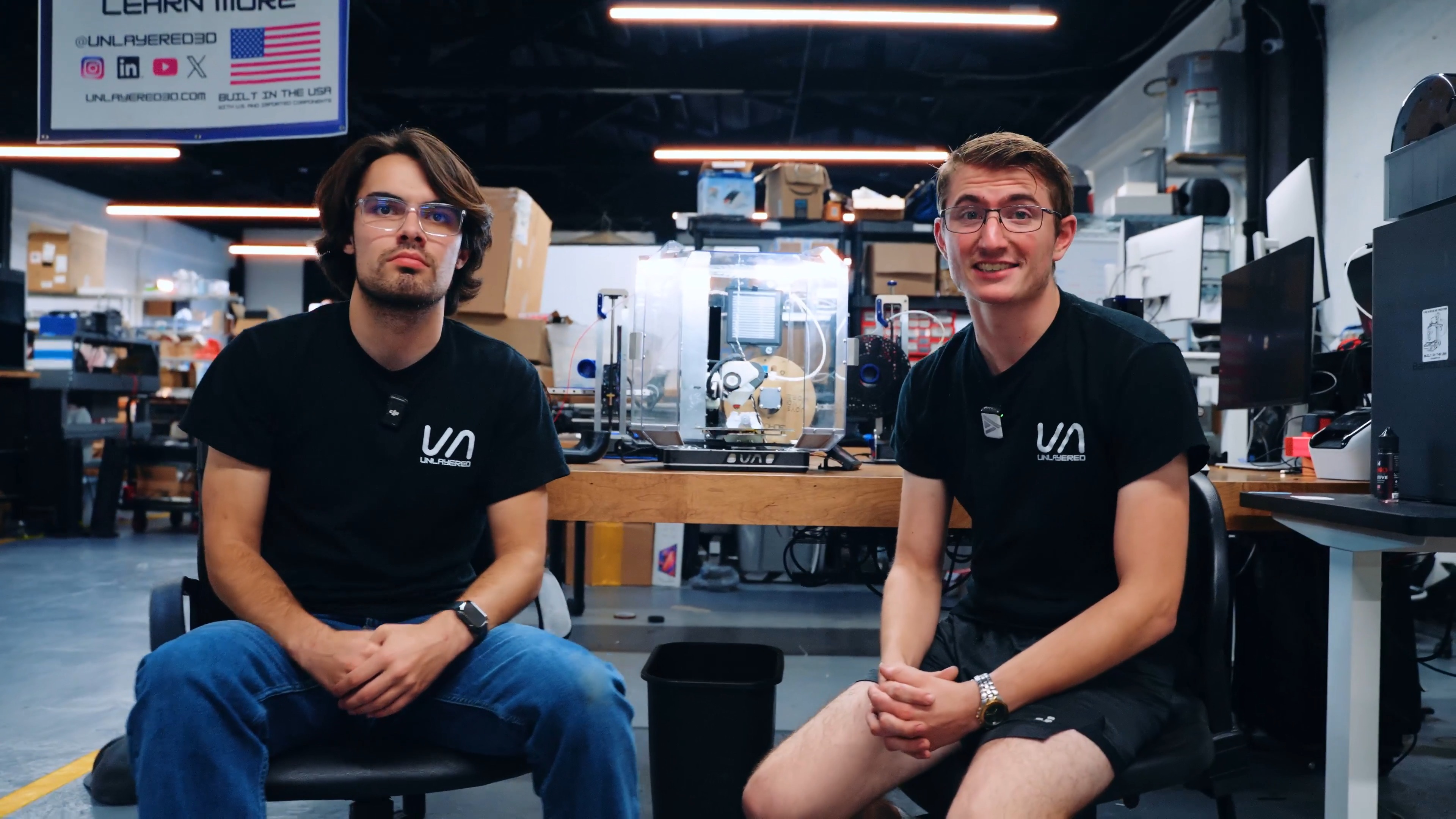
Unlayered 3D is building a desktop 5-axis 3D printing stack aimed at engineers and makers who have hit the limits of conventional layer-by-layer FDM. The launch pairs two things: a 5-axis desktop printer ( the Fractal 5 Pro ) and Unlayered Slicer, an OrcaSlicer-based slicer, free to download, with non-planar and 5-axis slicing, wave overhangs, and support-free printing. The slicer also runs in a 3-axis legacy mode, so existing printers can take advantage of non-planar toolpaths without buying new hardware. The practical payoff is stronger production-grade parts, smoother surface finishes, and the ability to print complex geometries without support structures. The company is run by co-founders Philip Pounds and Alex Stedman, who just graduated from Rose-Hulman Institute of Technology in Indiana and started the company as roommates during their junior and senior years. They have already built a pilot unit, which they exhibited at RAPID 2026 in Boston , and are moving to San Francisco as they look towards their full launch . The hardware is currently on its fifth iteration, with pricing and the American-made content of the bill of materials still being finalized through early customer feedback. This launch matters because five-axis desktop machines remain rare, and the usual bottleneck has been software rather than motion hardware. By shipping an open, OrcaSlicer-based toolchain alongside the printer, Unlayered 3D is betting that once the software problem with five-axis slicing is solved, there is little reason for users to stay on three-axis machines . The company is backed by Founders Inc, which is debuting the product through its launch channel.

Tags

Hardware & devicesConsumer electronicsB2C<500KSeedProduct launchUSFounder-led

Ask AI about Unlayered 3D

Questions

Frequently asked questions

The Unlayered 3D launch post reached 9.3K views on X, with 133 likes, 9 reposts, 5 comments, 45 bookmarks.

Unlayered 3D launched on X on October 14, 2026 with the message "The best 3D printing suite in the world".

Unlayered 3D is building a desktop 5-axis 3D printing stack aimed at engineers and makers who have hit the limits of conventional layer-by-layer FDM.

LaunchVideo.com rated the Unlayered 3D launch 2.60 out of 5: hook 4/5, editing / creativity 3/5, copy 4/5, sentiment of launch 1/5, distribution strategy 1/5.